Getting Help
Clik offers multiple ways to get help, whether you need quick answers to common questions or personalized support from the team. The help system is built right into the editor so you can find solutions without leaving your project.
Accessing the Help Menu
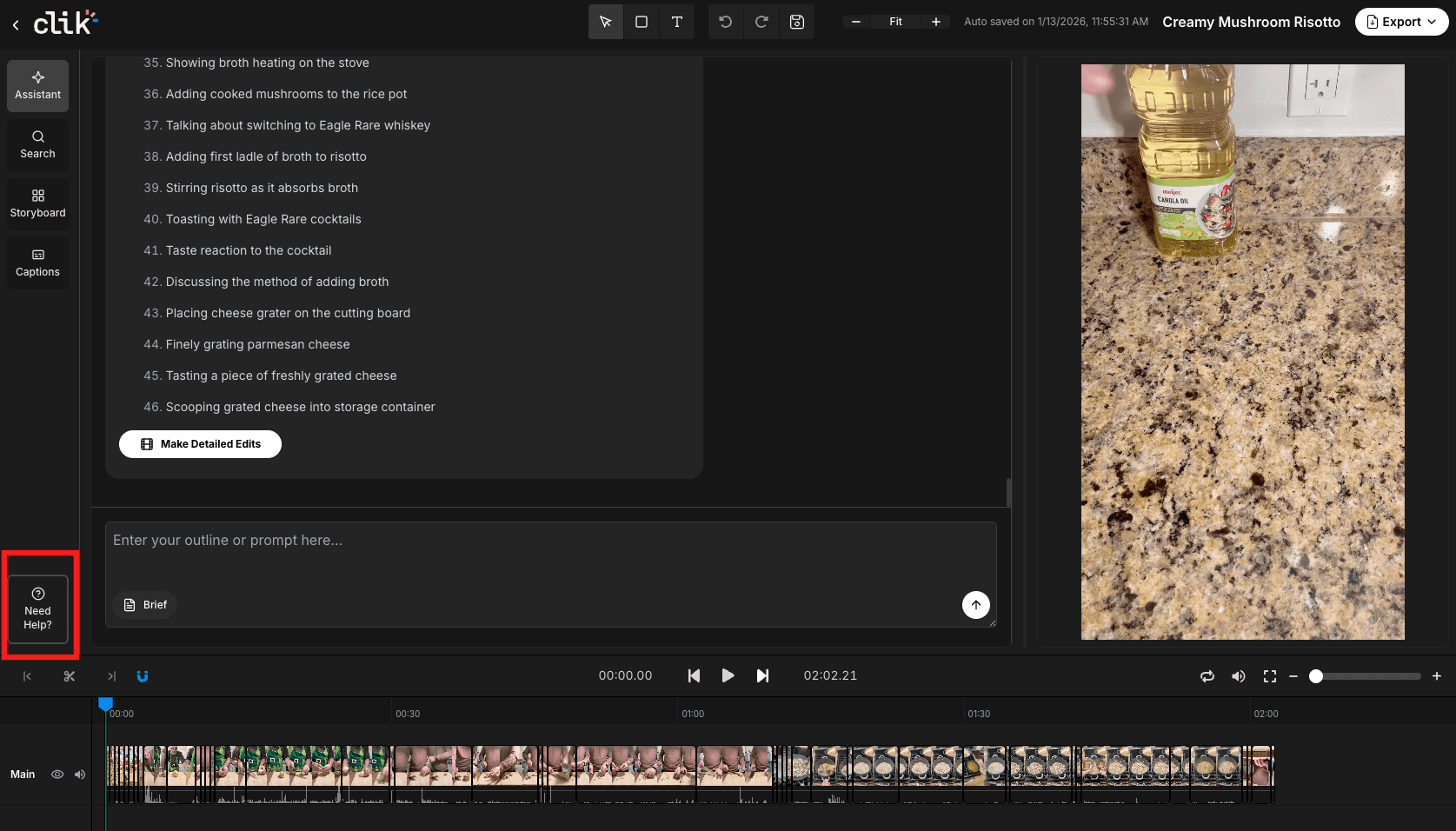
Look for the help icon in the bottom left corner of the Clik interface (shown as "Need help?" in the sidebar). Click it to open the help options.
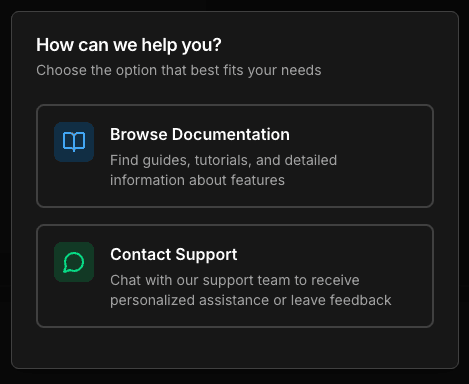
You'll see two main options:
Browse Documentation Find guides, tutorials, and detailed information about features. This is where you're reading right now—a complete knowledge base covering everything from getting started to advanced editing techniques.
Contact Support Chat with the Clik support team to get personalized assistance or leave feedback about your experience.
Support Options
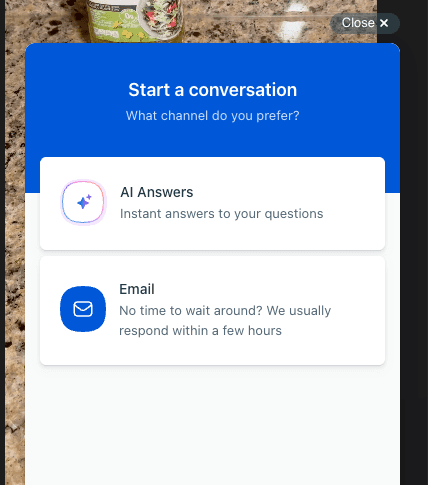
When you choose Contact Support, you'll see two ways to reach the team:
AI Answers Get instant answers to your questions. The AI assistant understands Clik's features and can help you find quick solutions to common issues.
Email For more detailed questions or if you prefer human support, email the team directly. Response times are typically within a few hours.
What to Include When Asking for Help
To get the fastest resolution, include:
What you were trying to do
What happened instead
Which feature or page you were using
Screenshots if something looks wrong
Your project name (if relevant)
The more context you provide, the easier it is for the support team to understand your situation and provide a solution.
Other Resources
Beyond the help menu, you can:
Check the Clik blog for tips and updates
Follow Clik on social media for tutorials and inspiration
Review these documentation articles for step-by-step guides
The Clik team is constantly improving the platform based on user feedback, so don't hesitate to reach out to conner@clik.vision with questions, suggestions, or issues you encounter.