Creating Your First Project
Creating your first project in Clik is simple. The platform guides you through uploading footage, setting your editing preferences, and letting AI generate your first rough cut in seconds.
Upload Your Footage
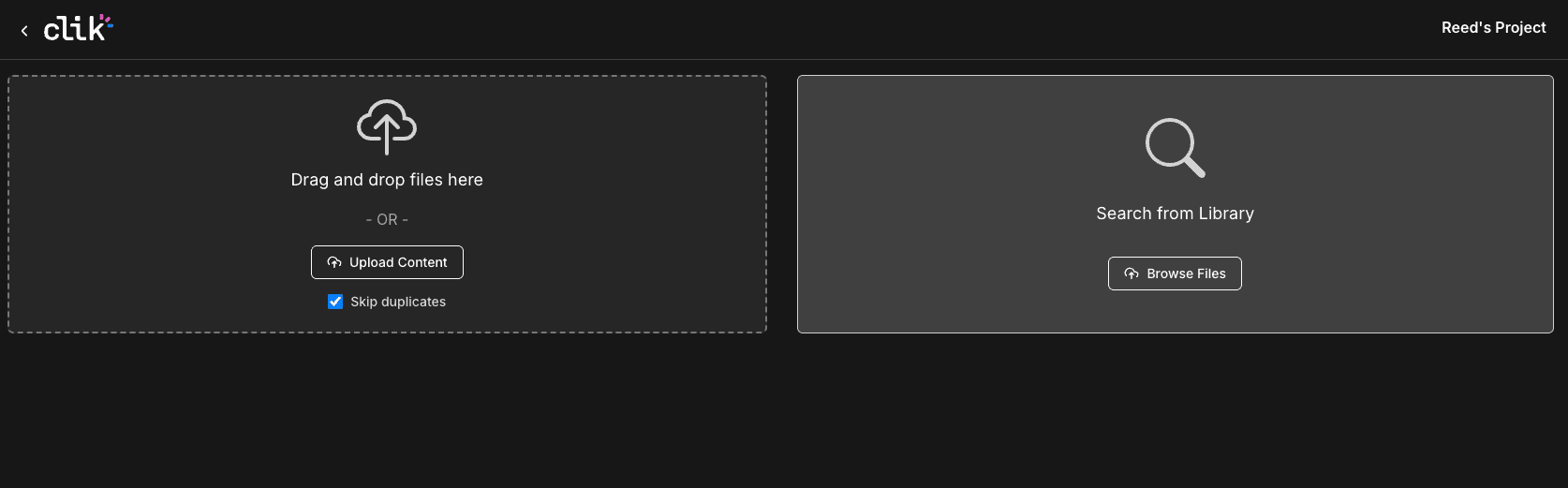
When you're ready to start editing, click "Upload Content" in your first project. You can also drag and drop files directly onto the upload area. Clik gives you the option to automatically skips duplicates, so you won't accidentally upload the same file twice.
You'll see three upload options to choose from:
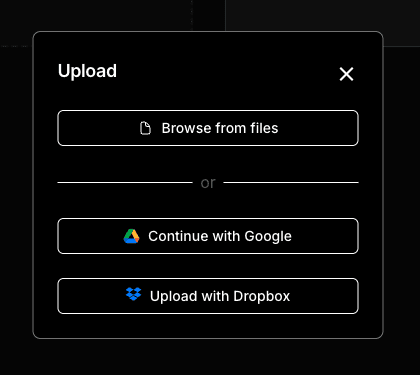
Browse from files - Upload directly from your computer (up to 20 GB per file)
Continue with Google - Import videos from Google Drive (up to 2 GB per file)
Upload with Dropbox - Import from Dropbox (up to 2 GB per file)
Set Up Your Video Brief
Once your footage starts uploading, Clik will ask you to fill out a Video Brief. This helps the AI understand what kind of video you want to create.
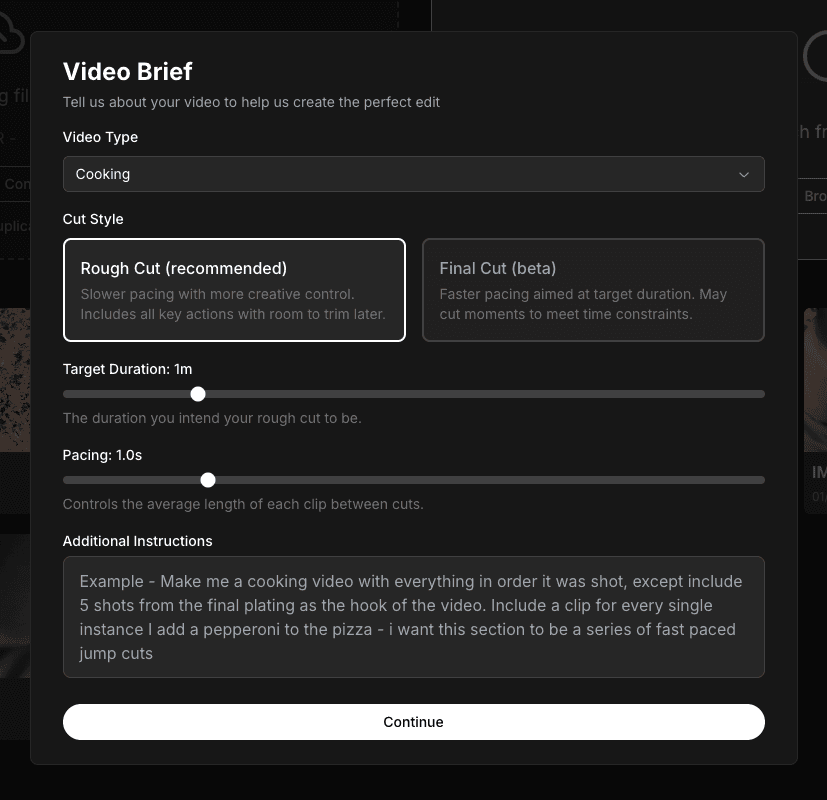
Choose your video type (Cooking, Vlog, Talking Head, or Custom), then select a cut style:
Rough Cut - Keeps all key actions with room to trim later. Slower pacing gives you more creative control.
Final Cut (beta) - Faster pacing aimed at your target duration. May cut moments to meet time constraints.
Adjust the target duration and pacing sliders to match your goals. In the Additional Instructions box, you can add specific requests like "Include a clip for every ingredient I add" or "Create fast-paced jump cuts for the plating sequence."
AI Generates Your Editing Prompt
After you submit your brief, Clik's AI generates a detailed editing prompt based on your preferences. You can review and edit this prompt before submitting to make sure it captures exactly what you want.
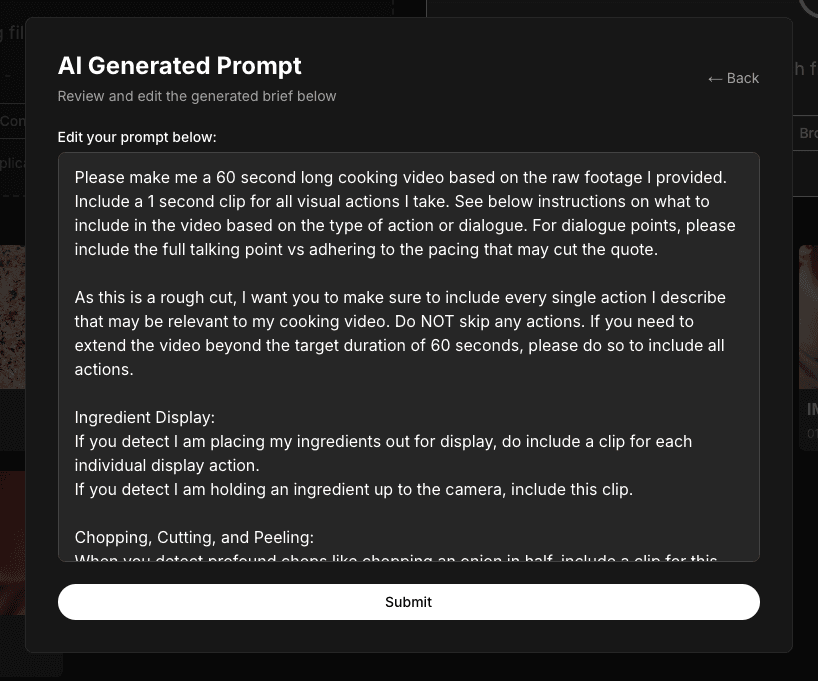
This prompt guides how Clik will edit your video, so take a moment to read through it and make any adjustments.
Watch Your Videos Upload
While you finalize your brief, your videos continue uploading in the background. You can track progress in the uploads panel, which shows you how many files are uploading and how much time remains. At this stage, you can navigate away from the tab and do other work but do not close your computer or let it fall asleep.
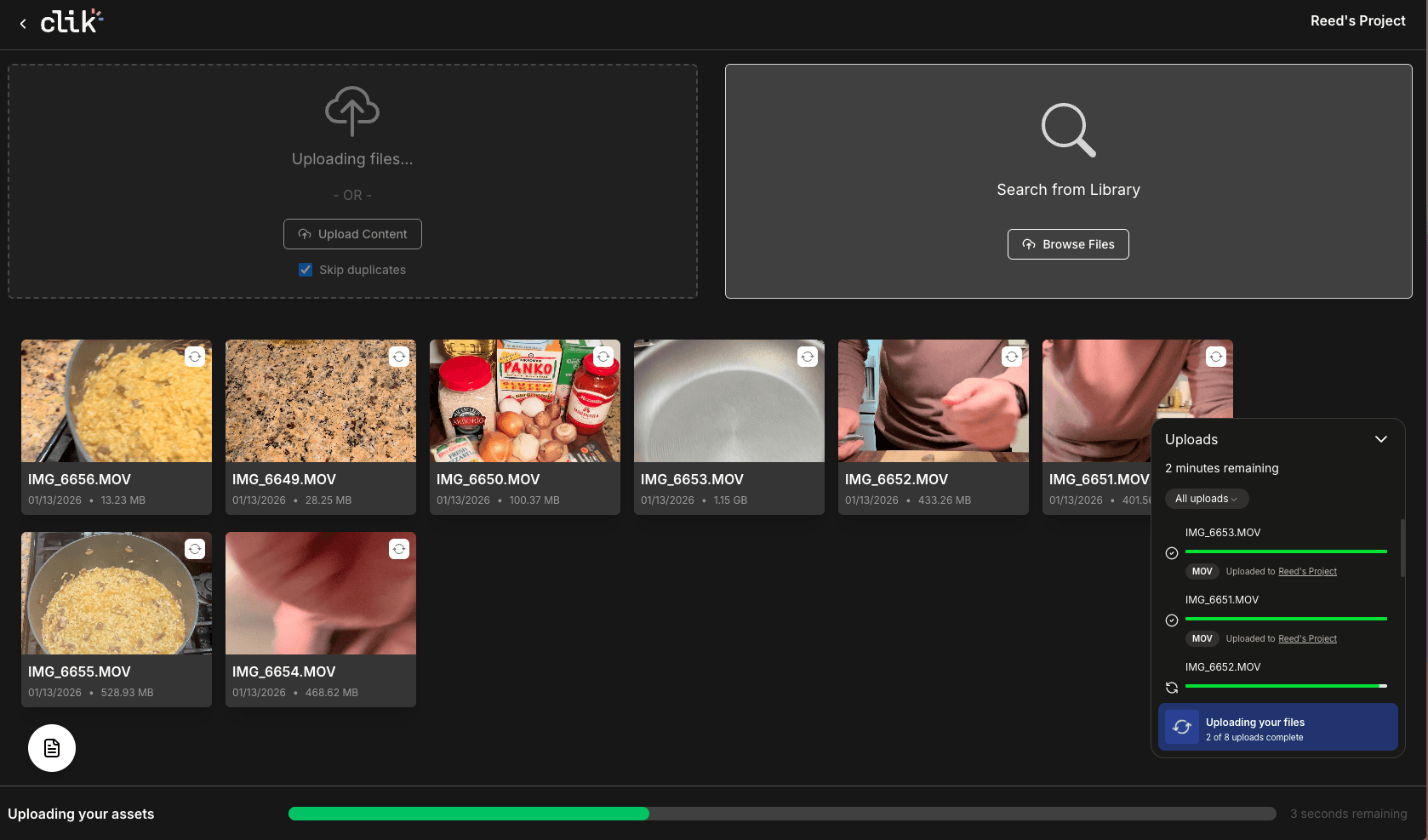
Once your uploads complete and you submit your brief, Clik's AI will analyze your footage and create a rough cut. This typically takes a few minutes but will give you a solid starting point for your edit.
What Happens Next
After your rough cut is ready, you'll be able to refine it using Clik's editing tools. You can adjust clips on the timeline, use conversation-based editing to make changes by typing requests, add text overlays, generate captions, and more.